Best Free Ways to Turn a Photo into a Pencil Sketch (2026)
Adobe Firefly, Dreamega, Imagen AI, mobile apps, or a browser-based filter — an honest comparison of what each actually requires and where each falls short.
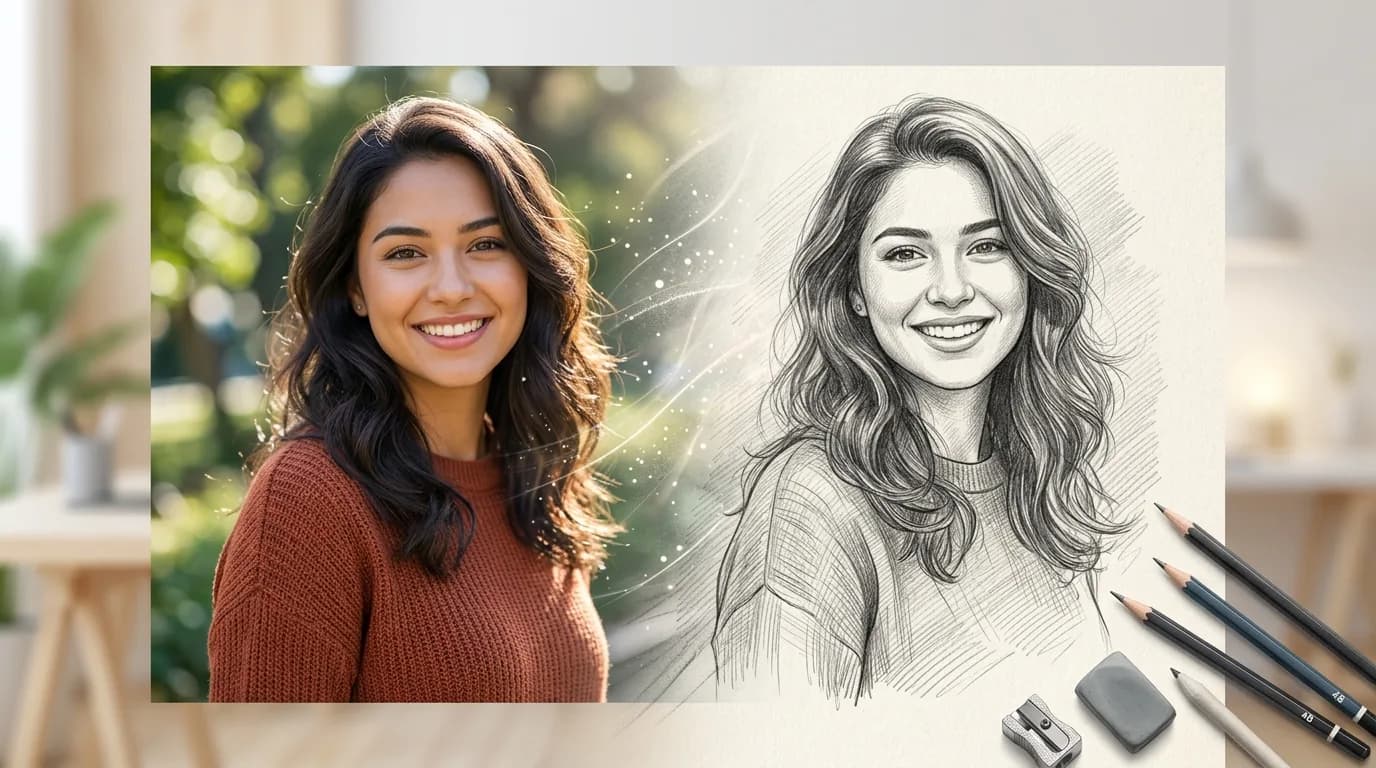
Search "photo to pencil sketch" and you'll get a mix of enterprise AI suites, photographer-focused editing platforms, and a long tail of mobile apps — each with a different catch. Some need an account. Some are built for a completely different use case than "I just want to sketch this one photo." Some are free to download and then charge you to actually get your image without a watermark or an ad interruption.
This is an honest look at what each option actually requires, verified against each product directly rather than taking marketing copy at face value, so you can pick based on what you're actually trying to do.
What Actually Matters When Picking a Tool
Before comparing specific products, these are the variables that actually differ between them:
Account required: Some tools work anonymously, while others gate the feature behind mandatory signup.
Where processing happens: Server-side means your photo gets uploaded to remote infrastructure, while client-side means it never leaves your device.
Cost structure: Free tier with daily generation caps, one-time unlock fees, or recurring subscriptions.
Style range: A single automatic style versus multiple sketch, line-art, or charcoal variations.
Workflow focus: Some tools are optimized for a single quick photo, while others assume you're processing large batches as part of a professional pipeline.
Adobe Firefly — Best Style Variety, If You Don't Mind an Account
Firefly's AI sketch generator is free to use with an Adobe account, offering daily generation limits under a fair-use cap rather than a hard credit count. It supports a genuinely wide range of styles — pencil sketch, line art, crosshatching, minimalist outlines, and charcoal or ink-inspired looks — from either a text prompt or a reference photo, entirely in the browser with no software download.
The catch is the account requirement itself. If you just want to sketch one photo right now, signing into (or creating) an Adobe account is a real step between you and the result, and you're inside Adobe's broader ecosystem rather than a single-purpose tool.
Dreamega — Best for a Fully Automatic, Zero-Setting Result
Dreamega's photo-to-sketch tool is free and deliberately hands-off: you upload a photo, and it applies AI-driven sketch styling automatically without manual sliders or settings to configure. For someone who doesn't want to think about intensity levels or pencil density and just wants a decent result fast, that's a genuine advantage.
The tradeoff is the same lack of control that makes it easy — if the automatic result isn't quite what you wanted, there's little to adjust beyond re-uploading and hoping for a different outcome.
Imagen AI — Built for Photographers, Not Casual One-Off Sketches
Imagen AI's core product is AI-powered photo culling and bulk editing aimed at professional photographers processing large shoot volumes, and their pencil sketch tool sits inside that broader platform. If you're already a photographer using Imagen AI's editing workflow, the sketch feature is a convenient extra. If you're not, it's a mismatched tool for the job — built around a professional editing workflow rather than convert this one photo quickly.
Mobile Apps — Convenient Download, But Read the Fine Print First
A large share of "photo to sketch" search traffic goes to dedicated mobile apps rather than browser tools, and the category has a consistent, well-documented pattern worth knowing before you download one: many are free to install but place ads between filter selections that can't be skipped, or gate high-resolution or watermark-free output behind a one-time unlock fee (commonly in the $2–$6 range) or a recurring subscription. Reviews across this app category repeatedly cite the same two complaints — intrusive, unskippable ads, and a "free" download that turns out to require payment to get an actually usable result.
None of that makes mobile apps bad outright, but it does mean the real cost of a "free" sketch app is often ads or a small paywall you don't discover until after downloading and installing it.
A Free Browser-Based Filter — No Account, No App, No Upload
This is where a dedicated, purpose-built web tool has a real structural advantage over all four categories above: no account creation, no app install taking up phone storage, and if the tool processes images client-side rather than uploading to a server, your photo never leaves your device at all. The tradeoff versus Adobe Firefly's AI-generated variety is real — a filter-based tool applies a consistent image-processing effect rather than an AI reinterpretation, so you get manual control over intensity and detail rather than a library of wildly different AI-generated styles.
Quick Comparison Across Methods
Adobe Firefly: Account required, server-side AI processing, free daily generation cap, wide style range (pencil, line art, charcoal, ink).
Dreamega: No account, server-side AI processing, free tier, single automatic style with zero manual controls.
Imagen AI: Account required, server-side AI processing, aimed at professional photographer batch workflows.
Mobile apps: Varies by developer, on-device processing, often ad-gated or paywalled for HD watermark-free export.
Browser filter tool: No account, 100% client-side GPU processing, completely free, instant manual slider adjustment without uploads.
Which Should You Actually Use?
If you want to explore multiple artistic AI styles and don't mind an Adobe account, Firefly gives you the widest range. If you want a single decent result with zero configuration, Dreamega's automatic processing is the fastest path. If you're a working photographer already inside a bulk-editing workflow, Imagen AI's sketch feature is a convenient bonus rather than a reason to switch tools on its own. If privacy, zero cost, and no account or install are the priority — especially for personal photos or portraits — a browser-based, client-side filter is the more straightforward choice, with the tradeoff that you're adjusting a filter rather than picking from AI-generated style variations.
Frequently Asked Questions
Is there a genuinely free way to turn a photo into a pencil sketch, with no hidden cost?
Browser-based filter tools that process images client-side are typically the most reliably free option, since there's no server compute cost being recovered through ads or subscriptions. Mobile apps and AI-generation platforms often have a free tier but commonly gate full resolution, watermark removal, or ad-free use behind a payment.
Do I need an account to use Adobe Firefly's sketch generator?
Yes, an Adobe account is required even for the free tier, which includes daily generation limits under a fair-use cap rather than a fixed credit count.
Are mobile sketch apps safe to use with personal photos?
It depends entirely on the specific app's data practices, which vary by developer — check the app's privacy policy for whether photos are uploaded to a server or processed on-device before using it for personal or sensitive photos.
What's the difference between an AI sketch generator and a client-side filter tool?
An AI sketch generator (like Adobe Firefly or Dreamega) uses a trained model to reinterpret the image into a stylized result, often with multiple artistic style options. A client-side filter tool applies a deterministic image-processing effect — contrast, inversion, and blur — directly to your existing photo, giving you manual control over intensity rather than AI-generated style variety.
Which tool gives the most realistic-looking sketch?
This depends on the photo and your definition of realistic — AI-generation tools like Adobe Firefly can produce more varied artistic interpretations, while filter-based tools produce a more consistent, predictable result based on the actual contrast and edges in your specific photo.
Skip the accounts, app installs, and generation caps — turn your photo into a pencil sketch free, in your browser, at Toolkito Pencil Sketch Filter.
Toolkito Engineering Team — Reviewed by TeXCodes Systems Architecture
Contributing writer at Toolkito
More from the Blog & Tools

Tutorials
How to Remove Background from Images for Free Online
Pencil Sketch Filter
Turn photos into realistic pencil sketches in your browser with zero uploads.
Web Performance