Unix Timestamp Converter: Fix the '1970 Bug,' Decode JWT Expiry, and Convert Epoch Time in Excel, JS, Python & PHP
Fix the 1970 Unix timestamp bug, decode 10-digit vs 13-digit epoch time, inspect JWT expiration claims, and convert timestamps across Excel, JavaScript, Python, and PHP.
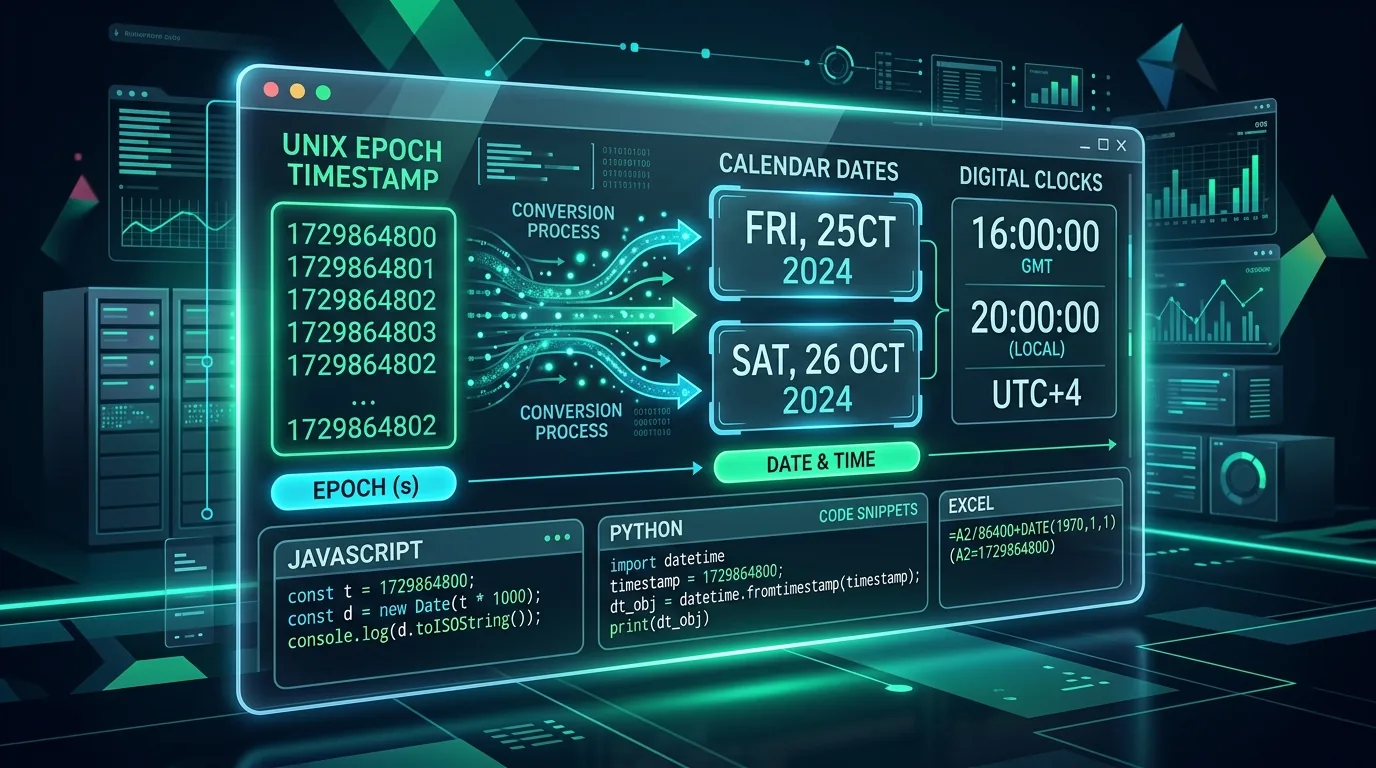
If you've landed here, one of two things happened: an API handed you a meaningless string of digits like 1700000000, or your app just displayed a date of January 1, 1970 and you have no idea why. Both problems come down to the same root cause — Unix timestamps are just integers, and integers don't explain themselves. This guide covers the exact fixes, formulas, and syntax you need across Excel, Google Sheets, JavaScript, Python, PHP, Bash, Java, C#, and SQL — plus the diagnostic breakdown for when timestamps go wrong.
What a Unix Timestamp Actually Is
A Unix timestamp counts the seconds elapsed since 00:00:00 UTC on January 1, 1970 (the "Unix epoch"). It's timezone-agnostic by design — the raw number never changes based on where you are in the world. Timezone display is always a presentation-layer decision made after conversion, never baked into the number itself. Keep that one fact in mind and half the "wrong timezone" bugs below make immediate sense.
The Primary Cause of Bugs: 10 Digits vs. 13 Digits
This is the single most common source of timestamp errors, and it's almost never explained clearly. Systems disagree on precision:
Seconds (10 digits): 1700000000. Used by Python time.time(), MySQL, JWT claims, POSIX/Linux systems.
Milliseconds (13 digits): 1700000000000. Used by JavaScript Date.now(), Java currentTimeMillis().
Microseconds (16 digits): 1700000000000000. Used by PostgreSQL, ClickHouse.
Nanoseconds (19 digits): 1700000000000000000. Used by Go UnixNano(), high-frequency trading systems.
A quick way to check: 10-digit timestamps will stay 10 digits from September 2001 all the way to November 2286. If your number has 13 digits, it's milliseconds — divide by 1,000 before treating it as seconds.
Why Your Timestamp Shows January 1970
This is the classic bug, and it has one of two causes:
1. Passing a 10-digit (seconds) value into a function expecting 13-digit (milliseconds)
JavaScript's new Date(value) expects milliseconds. Feed it 1700000000 instead of 1700000000000, and it interprets that as 1.7 million seconds after the epoch — which lands on January 20, 1970, not the date you expected.
2. A null, undefined, or zero value defaulted to epoch zero
Zero is a valid timestamp — it's literally January 1, 1970, 00:00:00 UTC. In Western Hemisphere timezones, the negative UTC offset can even push the displayed date back to December 31, 1969.
The fix is always a scale-matching check before parsing:
In JavaScript: multiply 10-digit input by 1,000 before calling new Date().
In any language: if the timestamp is expected to be "now-ish" and it isn't, check the digit count first — that's the bug 90% of the time.
Negative Unix Timestamps Aren't Corruption
If you've spotted a negative number like -86400 in a database and assumed something broke — it didn't. Signed integer timestamps can represent dates before January 1, 1970. -86400 simply means December 31, 1969, at 00:00:00 UTC (86,400 seconds before the epoch). This is normal and intentional in systems that index historical records predating 1970, and it's also used deliberately in some databases to achieve fast reverse-chronological sorting without an explicit ORDER BY.
Excel and Google Sheets: No Native Function, Use This Formula
Neither Excel nor Google Sheets has a built-in UNIX_TO_DATE() function, so you need to convert seconds into fractional days and add the 1970 baseline manually:
For 10-digit (seconds) timestamps:
=(A2/86400) + DATE(1970,1,1)
For 13-digit (milliseconds) timestamps — same formula, but divide by 86,400,000 instead:
=(A2/86400000) + DATE(1970,1,1)
After entering either formula, format the cell as Date or a custom format like yyyy-mm-dd hh:mm:ss — otherwise Excel will just show another number.
Language-Specific Conversion Syntax
JavaScript: new Date(ts * 1000).toISOString() — Watch out for forgetting to multiply by 1000, which lands in 1970.
Python: datetime.fromtimestamp(ts, tz=timezone.utc) — Omitting tz creates a "naive" datetime tied to the host server's local time, which breaks across cloud regions.
PHP 8+: (new DateTimeImmutable())->setTimestamp($ts) — Legacy date() calls silently depend on the server's date.timezone config setting.
Java 8+: Instant.ofEpochSecond(ts).atZone(ZoneId.of("UTC")) — Older java.util.Date assumes milliseconds, causing truncation bugs when fed seconds.
C#: DateTimeOffset.FromUnixTimeSeconds(ts).LocalDateTime — Watch out for confusing .UtcDateTime vs .LocalDateTime output.
Bash (Linux/GNU): date -d @1700000000 +"%Y-%m-%d %H:%M:%S" — The @ prefix is required — omit it and the shell throws an invalid-date error.
Bash (macOS/BSD): date -r 1700000000 +"%Y-%m-%d %H:%M:%S" — macOS uses -r, not -d — GNU syntax fails silently on Mac terminals.
Converting JWT Expiry Timestamps
If you're debugging a login session or an API 401 error, chances are you're staring at a decoded JWT payload with exp, iat, or nbf fields — all Unix timestamps in seconds, per the JWT spec (RFC 7519). The most common bug here: comparing a JWT's seconds-based exp claim directly against JavaScript's Date.now(), which returns milliseconds. Divide Date.now() by 1,000 before comparing, or you'll get expiration checks that are off by a factor of 1,000 — tokens that look expired when they aren't, or vice versa. If you're formatting API payloads, pair this converter with our JSON Formatter & Validator or calculate elapsed milestones with the Age Calculator.
ISO 8601 vs. Unix Timestamp
Converting a string like 2026-09-18T14:30:00.000Z into a numeric epoch integer (and back) matters for database indexing, since epoch integers sort and range-filter faster than string comparisons. If you're structuring database queries or migrations around these timestamps, our SQL Formatter keeps your scripts clean and readable. The key detail most guides skip: ISO 8601's Z suffix means UTC — if your string has a +05:00 offset instead, you must apply that offset before converting, or every downstream comparison will be off by your timezone difference.
Quick Reference: What Went Wrong
Date shows mid-January 1970: Seconds value parsed as milliseconds → Multiply the 10-digit value by 1,000 first.
Date shows Dec 31, 1969: Null/zero value with negative UTC offset → Validate for null before parsing.
Date shows year 55,000+: Milliseconds value parsed as seconds → Divide the 13-digit value by 1,000.
App crashes on date math: 32-bit integer overflow (Year 2038 problem) → Migrate storage to 64-bit integer types.
Frequently Asked Questions
Is a Unix timestamp affected by timezones?
No. The raw integer is always anchored to UTC. Timezone differences only appear when the number is displayed as a human-readable date — the underlying value never changes.
Why do JavaScript and Python return different timestamp formats?
JavaScript's Date.now() returns milliseconds (13 digits) because it was designed around browser event-loop precision. Python's time.time() returns seconds (10 digits) by default, matching POSIX conventions.
What happens in 2038?
Systems still using 32-bit signed integers to store timestamps will overflow on January 19, 2038, wrapping around to a negative number. The fix is migrating to 64-bit integer storage — a task worth auditing now if you're maintaining legacy infrastructure.
Can a Unix timestamp be negative?
Yes — negative values represent dates before January 1, 1970, and are valid in systems that need to index historical records.
Convert any epoch timestamp to UTC or local time instantly with the Toolkito Timestamp Converter.
Toolkito Engineering Team — Reviewed by TeXCodes Systems Architecture
Contributing writer at Toolkito
More from the Blog & Tools

Tutorials
How to Remove Background from Images for Free Online
Unix Timestamp Converter
Convert 10 & 13 digit epoch timestamps to human dates. Zero friction.

Web Performance